VPS or cloud? When simple infrastructure is enough
Engineering criteria for choosing between a well-run VPS and a cloud architecture: storage, object storage, high availability, RPO/RTO and the real cost.

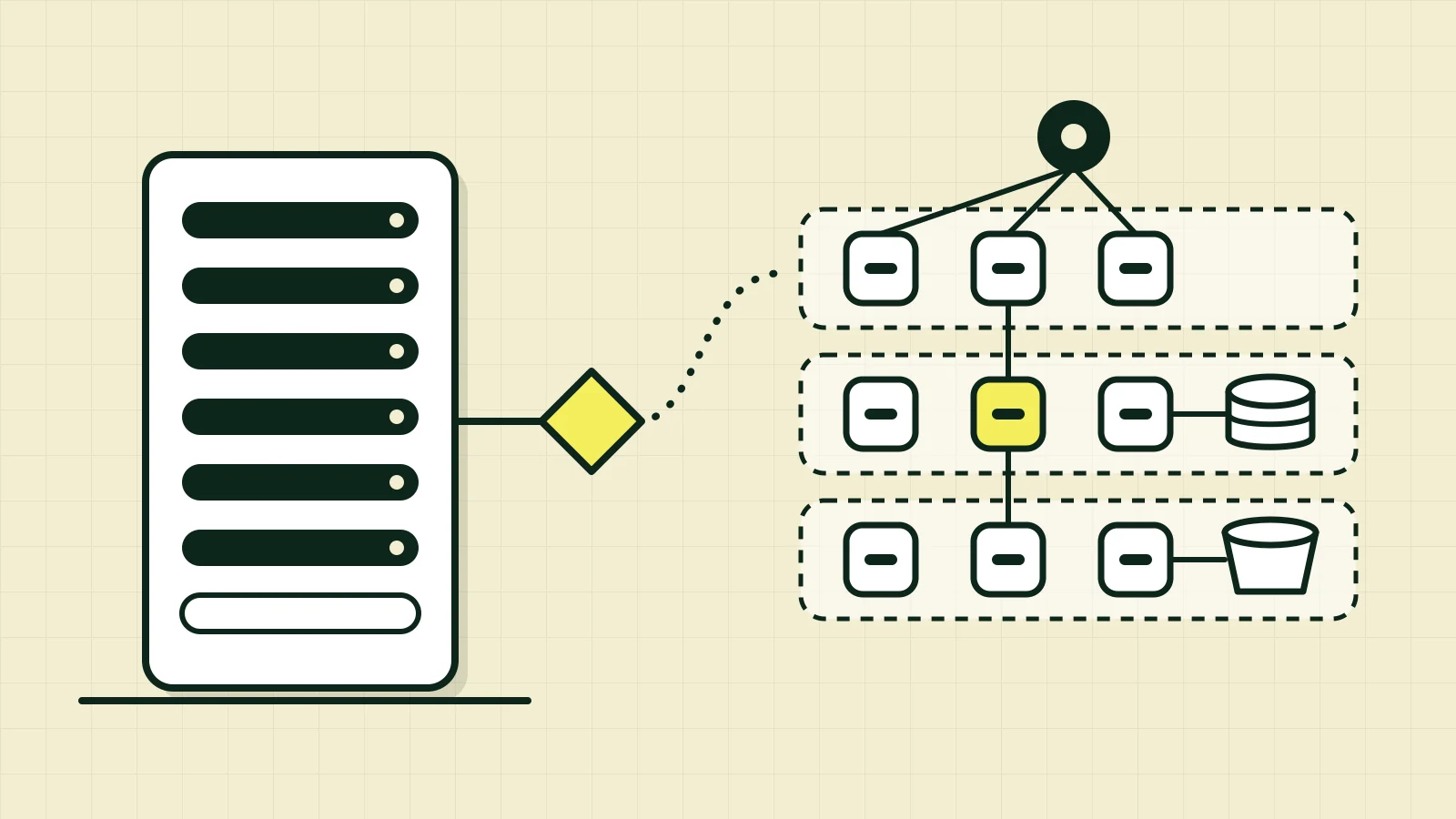
A SaaS with a few hundred customers, one backend, one database and a queue of reports is born, on paper, with Kubernetes, three availability zones, a managed database with replicas, a load balancer, a CDN, a queue, workers and an observability stack billed by log volume. Two developers will operate all of it. The real load fits, comfortably, on one machine.
This happens often, and rarely as a technical decision. It happens because “proper” architecture became a synonym for distributed architecture, and because nobody gets fired for choosing what everyone else chooses. But every added component has a permanent cost: money, failure surface, configuration to maintain, and knowledge someone has to have at three in the morning.
The thesis of this article is simple and has two sides. A well-sized, monitored and properly administered VPS serves many business applications and many SaaS products. And there are concrete requirements a VPS does not meet, and the engineering work is recognizing them. It is not a contest between VPS and cloud: it is a decision that depends on functional and non-functional requirements, on the load, on the availability required, on cost, and on the operational capacity of whoever will maintain the system.
This article is a study based on official documentation and on experiments I ran locally. Passages marked as opinion or interpretation reflect my reading; everything else cites sources. I have no production results of my own to present here, and the architecture examples are plausible scenarios, not case studies. References are at the end, with the date each page was consulted.
The complexity nobody asked for
Donald Knuth wrote in 1974 that premature optimization is the root of much of the evil in programming (Structured Programming with go to Statements, ACM Computing Surveys). The line is usually quoted about code, but it applies just as well to infrastructure: designing for a problem you don’t have costs time now and tends to get the wrong problem you will have later.
Three distinctions help separate need from preference:
- A technical need is a requirement you can state and measure: “we tolerate at most 15 minutes of data loss”, “load triples during campaigns and returns to normal within hours”, “we need to serve users in Europe and Brazil with low latency”.
- A technology preference is “we want to use Kubernetes”, “everyone uses managed services”. It can be legitimate (for learning or hiring, say), but it has to be owned as a preference, with the cost it brings.
- Being ready to grow is different from anticipated complexity. An application ready to grow has clear boundaries (files outside the application machine, sessions without local state, versioned migrations, tested backups). An application with anticipated complexity already pays today for distribution it may never use.
The Azure Well-Architected Framework, from a provider that sells this complexity, includes keep it simple among its reliability principles: add components to the architecture only if they help achieve the target business value, because each critical component is a potential point of failure. The same text makes the opposite caveat: oversimplifying can introduce single points of failure. My takeaway (interpretation) is that the question isn’t “simple or complex?” but “what is the minimum that satisfies the requirements I can actually state?”.
VPS, VM and cloud: what each term promises
The terms blur together in the market, so it’s worth separating what each one guarantees.
A virtual machine (VM) is a machine emulated by a hypervisor on shared physical hardware: the guest sees virtual CPU, memory, disk and network, isolated from other guests. A VPS (virtual private server) is a commercial name for a VM sold with reserved resources and administrative (root) access, typically with a fixed monthly price and network and disk managed by the provider. Technically, a VPS is a VM.
Cloud, as NIST defines it (SP 800-145), is a model for on-demand access to a shared pool of configurable computing resources that can be rapidly provisioned and released with minimal management effort or provider interaction. NIST lists five essential characteristics: on-demand self-service, broad network access, resource pooling, rapid elasticity and measured service. That describes a consumption and API model, not a type of server.
Two practical consequences follow:
- VPS and cloud are not mutually exclusive categories. An EC2 instance with an EBS volume is, functionally, a VPS: a VM with a persistent disk and an IP, on cloud infrastructure (interpretation). What differs is not the VM but whether you buy only the VM or a set of services around it.
- Renting a VM is different from renting infrastructure services. With the VM you get compute and disk and take on the rest: operating system, patches, firewall, backup, monitoring, database, TLS. With services (managed database, load balancer, object storage, queue), the provider operates parts of the stack, and you pay for that in money and in coupling to the provider. AWS’s shared responsibility model formalizes the split: the provider handles security of the cloud (hardware, base software, facilities); the customer handles security in the cloud, which includes the guest operating system on EC2 instances, applications, data and firewall configuration (security groups). Cloud does not eliminate the need to administer infrastructure; it changes which parts you administer.
It’s also worth distinguishing three kinds of hosting:
| Traditional VPS | Cloud VM (e.g., EC2, Compute Engine, Azure VM) | Dedicated server | |
|---|---|---|---|
| Hardware | Shared, sliced by a hypervisor | Shared, sliced by a hypervisor | Physical, exclusive |
| Provisioning | Minutes, usually via a panel | Seconds to minutes, via API | Minutes to days |
| Network and disk | Simple, provider-managed | Virtual networks and disks as volumes separate from the VM | Local disks |
| Surrounding ecosystem | Small | Extensive (database, queue, storage, balancer…) | Minimal |
| Billing model | Usually a monthly plan | Metered usage | Monthly contract |
(A general characterization; specifics vary by provider and plan.)
Shared infrastructure means your server shares physical hardware with other customers; distributed infrastructure is an architecture concept: your system runs on several nodes that coordinate over the network. A VPS can be shared and not distributed (the usual case). A system can be distributed across dedicated machines. The two are independent, and the cost of distributing (consistency, network latency, partial failures) exists whatever the hardware.
When a VPS is enough
A VPS usually serves workloads like these well:
- monolithic applications (including modular monoliths);
- REST APIs with predictable traffic;
- administrative systems and internal business applications, with users during office hours;
- early-stage SaaS, with tens or hundreds of customers;
- institutional websites and small and mid-sized e-commerce;
- processing systems with predictable load (nightly imports, scheduled reports).
The common denominator is a load profile you know: no unpredictable order-of-magnitude spikes and a defined tolerance for short unavailability windows. If that tolerance doesn’t exist, the problem changes nature (see the next section).
A reference architecture
A stack I use as a starting point in my studies, all on one Linux VPS:
Internet ──► Nginx (TLS, reverse proxy, limits)
                ├──► web  (Next.js, SSR)
                └──► api  (NestJS)
                        ├──► PostgreSQL  (data, transactions)
                        └──► Redis       (cache, rate limiting, light queues)

Off the machine: backups (base + WAL) in object storage; external monitoring and alerts
Responsibilities:
- Linux: the base; security updates,
ufw/nftablesclosing everything except 80/443 (and restricted SSH), unprivileged users, synchronized clock. - Docker + Docker Compose: packages and versions the services. Docker’s documentation describes single-server deployment as the simplest path, and says that scaling beyond one host would mean a cluster (Swarm, in their docs) or another orchestrator. Named volumes persist data beyond a container’s lifecycle; a container’s writable layer is not durable.
- Nginx: terminates TLS, acts as a reverse proxy, enforces limits (body size, rates) and serves static files.
- PostgreSQL: the source of truth for structured, transactional data.
- Redis: cache and ephemeral structures. Redis’s documentation lists “no persistence” as a common option for caching, and recommends RDB + AOF only if you want data safety comparable to PostgreSQL’s. In this design, Redis is disposable by definition; if something in it must survive, that’s a sign the data belongs in the database.
- External backups: the most neglected item (see below).
- Monitoring: host metrics (CPU, memory, disk, I/O), database metrics (connections, locks, vacuum lag, size) and application metrics (latency, error rate), alerting from outside the VPS itself. A monitor that dies with the server tells you nothing.
- CI/CD: a pipeline that builds the image, runs tests and publishes by tag; deploying is
docker compose pull && docker compose up -d, with rollback to the previous tag.
A minimal compose.yaml for this design (validated with docker compose config; adjust images, secrets and healthchecks to your case):
services:
  nginx:
    image: nginx:1.27
    restart: unless-stopped
    ports: ["80:80", "443:443"]
    volumes:
      - ./nginx/conf.d:/etc/nginx/conf.d:ro
      - ./certs:/etc/nginx/certs:ro
    depends_on: [web, api]
    networks: [edge, app]

  web:                       # Next.js (SSR)
    image: registry.example.com/saas-web:${TAG}
    restart: unless-stopped
    env_file: .env
    networks: [app]

  api:                       # NestJS
    image: registry.example.com/saas-api:${TAG}
    restart: unless-stopped
    env_file: .env
    depends_on:
      postgres: { condition: service_healthy }
    networks: [app, data]

  postgres:
    image: postgres:17
    restart: unless-stopped
    environment:
      POSTGRES_PASSWORD_FILE: /run/secrets/pg_password
    secrets: [pg_password]
    volumes:
      - pgdata:/var/lib/postgresql/data
    healthcheck:
      test: ["CMD-SHELL", "pg_isready -U postgres"]
      interval: 10s
      timeout: 3s
      retries: 5
    networks: [data]

  redis:                     # disposable cache: no RDB, no AOF
    image: redis:7
    restart: unless-stopped
    command: ["redis-server", "--save", "", "--appendonly", "no",
              "--maxmemory", "256mb", "--maxmemory-policy", "allkeys-lru"]
    networks: [data]

volumes:
  pgdata:

networks:
  edge:
  app:
  data:
    internal: true           # database and Redis have no route out

secrets:
  pg_password:
    file: ./secrets/pg_password
And the Nginx snippet that routes /api/ to the backend (validated with nginx -t on the nginx:1.27 image):
upstream api { server api:3000; keepalive 16; }
upstream web { server web:3000; keepalive 16; }

server {
  listen 80;
  server_name app.example.com;
  client_max_body_size 1m;        # large uploads do NOT go through here (see the object storage section)

  location /api/ {
    proxy_pass http://api;
    proxy_http_version 1.1;
    proxy_set_header Connection "";
    proxy_set_header Host $host;
    proxy_set_header X-Forwarded-For $proxy_add_x_forwarded_for;
    proxy_set_header X-Forwarded-Proto $scheme;
  }
  location / {
    proxy_pass http://web;
    proxy_http_version 1.1;
    proxy_set_header Connection "";
    proxy_set_header Host $host;
  }
}
A backup is not redundancy. PostgreSQL documents continuous archiving: a file-system-level base backup plus a continuous archive of the WAL lets you restore the cluster to any moment after the base backup (PITR). Two caveats from the documentation itself: pg_dump won’t do for this (a logical dump doesn’t contain enough information for WAL replay), and archiving must be set up and tested before the first base backup. AWS’s disaster recovery whitepaper draws the matching distinction: continuous replication gives near-zero RPO but may not protect against data corruption or malicious deletion, which replicate too; it’s the point-in-time backup and versioning that protect. And both sources insist: test the restore. A backup that has never been restored is a hypothesis.
Sizing: what to watch, and why there is no magic number
There is no “a VPS handles N users”. Users aren’t a unit of load; requests per second, cost per request and access pattern are. The resources to watch:
- CPU: cores busy at peak, run queue (load average relative to core count) and steal time, which in a VM indicates hypervisor contention.
- Memory: the application’s working set, PostgreSQL’s
shared_buffersand page cache, and memory per connection. Memory that is “left over” isn’t idle: Linux uses it as disk cache, and that cache is what keeps the database fast. - Storage: capacity, daily growth and, more important for a database, IOPS and latency. A disk with plenty of capacity and limited IOPS stalls a database before space runs out.
- Disk and network throughput: relevant for backups, imports and large file downloads served by the machine itself.
- Concurrency: by Little’s law (L = λ·W), the average number of in-flight requests is the arrival rate times the average service time. A hypothetical example: 200 req/s at 50 ms average latency keeps about 10 requests in flight; if latency rises to 500 ms because of one slow query, that’s 100, without traffic having changed.
- Database connections: PostgreSQL sizes certain resources directly from
max_connections(typical default of 100, set atinitdb), and the value only changes with a restart. More connections doesn’t mean more throughput: each connection is a process with its own memory. In general, what scales is a bounded-size pool (in the application or in an external pooler) and short queries. (Opinion: this is one of the first real bottlenecks of small apps, and it is usually fixed with configuration, not hardware.)
There is also the inverse rule: the VPS that looks “small” may be underused, and the “large” one may be suffocating. Monitoring is what tells you which.
Hardware doesn’t fix a bad query
To make this concrete, I ran an experiment on a throwaway local PostgreSQL 17.10 (a laptop, no tuning, not a benchmark): a pedidos table with 2 million rows (285 MB), a query by cliente_id returning 37 rows, with max_parallel_workers_per_gather = 0 to isolate the effect.
| Scenario | Plan | Pages read (8 kB) | Execution time |
|---|---|---|---|
No index on cliente_id |
Seq Scan |
~36,400 | 59 to 75 ms |
With an index on cliente_id |
Bitmap Index Scan + Bitmap Heap Scan |
40 | 0.02 to 0.04 ms |
That is a difference of three orders of magnitude in pages read and time, on the same machine. Now imagine that query called hundreds of times per second on a 200-million-row table: no CPU upgrade fixes what an index fixes. The same goes for other bottlenecks where more hardware helps little:
- Database contention: long transactions holding locks, deadlocks, “hot” rows updated by many requests. More cores just create more waiting.
- Memory leaks in the application: more RAM only postpones the OOM.
- Blocking synchronous I/O (external HTTP calls without a timeout inside the request, large files processed on the same thread): the queue grows while the machine sits idle.
- N+1 queries, missing pagination,
SELECT *on wide tables.
The articles on the query planner and on isolation, locks and deadlocks in the PostgreSQL Internals series detail how to diagnose each one. The consequence for this discussion (interpretation): before migrating infrastructure over “lack of capacity”, confirm that the bottleneck is capacity and not efficiency.
When to move to cloud
The criteria that justify cloud services are requirements a single VPS can’t meet, not a head count:
- Demand variability: load that swings by orders of magnitude (campaigns, seasonality, events). Paying for the peak all month is expensive; on-demand capacity solves it. The AWS reliability principle “stop guessing capacity” describes exactly this.
- Horizontal scalability needed: when the limit of one machine (even a large one) is the problem, not the design.
- High availability and fault tolerance: if the business can’t tolerate the hours of downtime a single machine implies (see below).
- Disaster recovery with demanding RPO/RTO: RPO (recovery point objective) is how much data you accept losing, measured in time; RTO (recovery time objective) is how long you accept being down. Restoring a nightly backup onto a new VPS gives an RPO of up to 24 h and an RTO of hours; if the business demands minutes for both, you need replication and failover.
- Geographic distribution: latency for distant users, data residency.
- Security and compliance: certifications, auditing, isolation, key and identity management the provider already offers and you would have to build.
- Team operational capacity: if nobody wants to or can operate PostgreSQL with replication and tested backups, paying for a managed database is a rational decision, not a weakness.
- Automated provisioning and ephemeral environments: infrastructure as code, on-demand test environments.
Vertical, horizontal and the state problem
Vertical scaling means making the machine bigger; it’s simple, needs no code change, but has a ceiling, usually requires a restart and keeps the single point of failure. Horizontal scaling means adding machines; it only works properly when the application replicas are interchangeable, that is, without local state (stateless): sessions in Redis or a signed token, files in object storage, jobs in a queue. The AWS Auto Scaling guide describes the group as a collection of instances treated as a logical unit, which replaces unhealthy ones with new ones and spreads capacity across zones, which, in my reading (interpretation), presupposes disposable instances. Applications with local state (files in /uploads, in-memory sessions) break that model.
State doesn’t disappear: it concentrates in the components that hold it (database, object storage, cache). Scaling the stateless tier is relatively easy; scaling the database is the hard problem.
Load balancing, failover and cross-zone redundancy
A load balancer (AWS’s Elastic Load Balancing is one example) distributes requests across targets in one or more availability zones and sends traffic only to healthy ones, using health checks. An availability zone (AZ) is one or more data centers with redundant power, networking and connectivity, physically separated from other zones in the same region. Cross-zone redundancy lets you survive the loss of a data center.
For the database, AWS describes two forms in RDS: Multi-AZ with a single standby instance, replicated synchronously in another zone, with failover; the documentation warns that the standby does not serve read traffic and that synchronous replication can increase write and commit latency compared with a single zone. For reads, you use read replicas (asynchronous) or a Multi-AZ cluster with readable standbys. Hence an important distinction: high availability (Multi-AZ) and read scaling (replicas) solve different problems.
With plain PostgreSQL, the official documentation describes standby solutions (WAL shipping and logical replication, among others) that can be synchronous or asynchronous and allow promoting the standby to primary. Building that, with failure detection, safe promotion and fencing of the old primary, is engineering and operations work that falls to you. It is exactly the work a managed database sells.
A bigger VM doesn’t solve everything, and a cloud VM isn’t high availability
Making the machine bigger covers CPU/RAM/IOPS up to a ceiling, but it gives no redundancy, no disaster recovery, no fix for geographic latency and no fix for application contention.
And running on a cloud instance does not mean high availability. The EC2 SLA, on the page consulted (last update shown: May 25, 2022), commits to 99.99% monthly availability at the region level when instances run in two or more zones, and 99.5% at the instance level for a single instance. In simple arithmetic, 99.5% allows about 3.6 hours of downtime in a 30-day month, while 99.99% allows about 4.3 minutes. An SLA is a contractual commitment with service credits, not a prediction of behavior. Also, EBS volumes are replicated within one availability zone, which protects against component failure but not against losing the zone. Durability is not availability, and availability is not scalability: a system can scale without being available (many machines behind the same point of failure) and be available without scaling (two small machines in different zones).
Storage: a fundamental architectural decision
Where the bytes live determines what happens when the machine dies, when you need a second instance and when the bill arrives. Six models, with provider examples (which are not equivalent in every respect).
Local storage
The machine’s own disk (internal NVMe/SSD or the VPS disk). Advantages: lowest latency and simplicity; fsync and files behave the way programmers expect. Limits: the data’s life is tied to the machine’s life. If the VM is recreated, the local disk may vanish; even when it persists, it depends on a single machine and a single point of failure. Use cases: temporary files, build caches, sort spill, reproducible data.
Block storage
A block volume is a block device exposed to the VM, on which you create a file system (or hand the raw device to a database). The Amazon EBS documentation describes it as volumes you attach to EC2 instances and use “like a local drive”, with snapshots as point-in-time backups, different volume types for IOPS and throughput, and automatic replication across servers within the zone. It persists independently of the instance. In practice (interpretation; check your provider’s exceptions), a block volume is used by one instance at a time, with an ordinary file system on top. Volume type, IOPS and throughput are chosen and paid for separately, which is why they enter the cost. Use case: databases and anything that expects a low-latency POSIX disk.
File storage
A shared file system, accessed over NFS or SMB. Amazon EFS, for example, uses NFSv4.1/4.0, allows concurrent access from many instances, offers file semantics (strong consistency and file locking) and can replicate across zones. Every operation goes through the network and the protocol, so performance, especially for many small files and metadata, differs from a local disk; you need to test with your own access pattern (interpretation). Use cases: legacy applications that require a shared file system, home directories, content shared between instances, when changing the application to use object storage isn’t feasible.
Object storage
It stores objects (data + metadata) in buckets, addressed by a key (and, with versioning, a version ID), through an HTTP API. Amazon S3 describes itself this way: an object is a file plus metadata; each object has a unique key in the bucket; the service is a REST API. It is not a file system. The API works on objects by key (PUT, GET, DELETE, COPY), without POSIX semantics: in practice (interpretation of the API model), there is no file lock and no in-place partial edit, and “renaming” is copy and delete. S3 documents that it provides no locking between concurrent writers (with simultaneous PUTs to the same key, the one with the latest timestamp wins) and that there is no atomic update across keys. “Folders” are just key prefixes.
Properties that matter (all cited from the providers, and each product has its own):
- Durability. S3 Standard is designed for 99.999999999% (eleven nines) durability and 99.99% object availability over a year, with data stored on multiple devices in at least three zones. “Designed for” is a design goal, not a contractual guarantee; and durability does not protect you from deleting the object yourself.
- Consistency. S3 offers strong read-after-write consistency for
PUTandDELETE, in all regions, and updates to a single key are atomic; updates across keys are not. Google Cloud Storage documents strong consistency for object writes and listings, but granting/revoking access is eventually consistent (about a minute, per the documentation). Cloudflare R2 documents strong consistency for read-after-write, deletes and listing, with API-key permission changes being eventually consistent. If there is a cache or CDN in front, practical consistency becomes the cache’s. - Versioning. In S3, when enabled, a delete inserts a delete marker and the previous version remains; an overwrite creates a new version. Each version is billed as a whole object, and once enabled the bucket can never go back to the “unversioned” state (it can only be suspended).
- Lifecycle policies. Rules for transitioning between storage classes and for expiration. In S3, lifecycle rules also apply to noncurrent versions, and there is a specific action to abort incomplete multipart uploads, whose parts keep being billed until completed or aborted.
- Presigned URLs. A temporary URL granting access to one operation on one object with the credentials of whoever generated it. In S3 it is valid until expiration and expires earlier if the credentials used to sign it expire; it is a bearer token (whoever holds the URL can use it) and should be treated as such. In R2 they are supported through the S3 API (1 second to 7 days; GET, HEAD, PUT, DELETE), not on custom domains, and form POST is not supported.
- Multipart upload. S3 recommends it for objects of 100 MB or more; parts are numbered 1 to 10,000, can be uploaded in parallel and retried individually, and the upload only becomes an object when you call complete.
- Costs. Storage per GB-month, requests (writes and listings cost more than reads) and outbound transfer. Some providers charge for egress; R2 states it doesn’t.
Examples and caveats. Amazon S3, Google Cloud Storage and Cloudflare R2 are managed services; R2 exposes an S3-compatible API, which makes porting code easier, but “compatible” is not “identical” (for example, the custom-domain restriction on presigned URLs above). MinIO is an S3-compatible object storage server that you operate yourself. When I checked its official repository on Oct 31, 2026, it appeared as archived and no longer maintained (archived by the maintainer on Apr 25, 2026), with the community edition distributed only as source code under AGPLv3 and the company pointing to its AIStor products as alternatives. For anyone planning to use it, that is risk information: assess the project’s state on the day you decide.
Database storage
Relational databases such as PostgreSQL are appropriate for structured data, relationships, transactions and queries: referential integrity, indexes, JOIN, isolation, point-in-time recovery. That doesn’t make them suitable for storing large blobs by default. PostgreSQL stores large values through TOAST (compression and/or chunking into a side table), with a limit of 1 GB per value; there is also the large objects facility, with streaming access. Putting PDFs and videos in the database works at small scale, but (opinion, in line with common practice): it bloats the database, the backup, the WAL and replication with bytes that need neither transactions nor relational queries, and makes the database the bottleneck for reading files. What should live in the database is the file’s metadata and the reference to where it lives.
Cache
A cache holds a disposable copy of data whose source of truth lives elsewhere, to gain latency. Redis is the example: in memory, with an eviction policy (maxmemory-policy) and the documented option of persisting nothing. Golden rule: if losing the cache’s contents causes business data loss, it isn’t a cache, it’s a badly chosen database. A cache does not replace persistent storage or object storage.
Comparison
| Local | Block | File | Object | Database | Cache | |
|---|---|---|---|---|---|---|
| Access | Local file system | Block device + FS | NFS/SMB (POSIX over the network) | HTTP API by key | SQL over a dedicated protocol | Key-value commands (Redis) |
| Persistence | Tied to the machine | Independent of the instance (replicated in the zone) | Independent; can be multi-zone | Independent; multi-zone by default in standard classes (S3) | Durable (WAL + backup) | Optional; disposable by design |
| Sharing | One machine | Usually one instance at a time | Many instances | Many clients, over the network | Many clients, with transactional isolation | Many clients |
| Latency | Lowest | Low (network) | Medium (network + protocol) | Higher per operation (HTTP) | Depends on the query | Lowest (memory) |
| Scalability | Limited by the machine | Limited by the volume | High (managed services) | Very high | Vertical; horizontal is hard | Vertical and by sharding |
| Best for | Temporary data, build caches | Databases, system disks | Legacy with a shared FS | Files, attachments, backups, media | Relational and transactional data | Derived responses and sessions |
| Limitations | Lost with the machine | Anchored to a zone; IOPS cost | Latency on small files; cost | No rename/append; consistency across keys | Poor for large blobs | Can be lost; not the source of truth |
(A synthesis from the documentation cited. “Latency” is qualitative: the real value depends on region, type and load, and must be measured.)
When to use object storage
Consider a SaaS with uploads of documents, images, videos, reports, attachments and automatically generated files. Two implementations.
Alternative A: /uploads on the VPS itself.
- Advantages: total simplicity (the framework already knows how), local latency, no extra service cost, no provider dependency, access control in the application itself.
- Limitations: the file lives on the machine’s disk, so the disk has to be in the backup (more volume and more complexity); the application stops being stateless (a second instance can’t see the files); large uploads and downloads consume the server’s own bandwidth, CPU and connections; volume growth pressures the VPS disk and the backup window; and a future migration requires copying everything.
Alternative B: object storage.
- Advantages: the application has no local state; durability and replication belong to the service; uploads and downloads go straight to storage through a signed URL, without passing through your server; lifecycle and versioning built in; it grows without resizing disks.
- Limitations: one more component (and an account, credentials, access policies, CORS); network latency per operation; cost per request and per transfer; semantics different from a file system; provider dependency (mitigated by an S3-compatible API, never eliminated).
Recommended flow
- The client requests the upload (
POST /api/attachments) with name, type and size. - The backend authenticates and authorizes (can this user attach to this document?) and validates limits (allowed type, maximum size, tenant quota).
- The backend creates the record in PostgreSQL with
status = 'pending'and generates the object key (an opaque identifier, not the original name) and a short-lived presignedPUTURL. - The client sends the file directly to object storage (for large files, via multipart).
- The client (or a storage event) notifies the backend; it confirms the object exists (
HEAD), compares size and checksum and setsstatus = 'ready'. - Every read goes through the application: it checks permission and returns a short-lived presigned
GETURL (or serves the file through an authenticated CDN). The bucket stays private.
The metadata schema in PostgreSQL (executed on a local PostgreSQL 17.10 to validate the syntax and the cleanup query’s plan):
CREATE TYPE attachment_status AS ENUM ('pending', 'ready', 'deleted');

CREATE TABLE attachments (
  id            uuid PRIMARY KEY DEFAULT gen_random_uuid(),
  tenant_id     bigint NOT NULL REFERENCES tenants(id),
  document_id   bigint NOT NULL REFERENCES documents(id),
  storage_key   text NOT NULL UNIQUE,          -- e.g. t/7/2026/10/<uuid>, never the original name
  original_name text NOT NULL,
  content_type  text NOT NULL,
  size_bytes    bigint CHECK (size_bytes >= 0),
  checksum      text,
  status        attachment_status NOT NULL DEFAULT 'pending',
  created_by    bigint NOT NULL,
  created_at    timestamptz NOT NULL DEFAULT now(),
  retain_until  timestamptz,                    -- legal/contractual retention
  deleted_at    timestamptz
);

CREATE INDEX attachments_document_idx ON attachments (document_id) WHERE status = 'ready';
CREATE INDEX attachments_pending_idx  ON attachments (created_at)  WHERE status = 'pending';

-- Cleanup job: uploads that were started and never confirmed (uses the partial index above)
SELECT storage_key FROM attachments
WHERE status = 'pending' AND created_at < now() - interval '24 hours';
And generating the presigned URL in the backend (TypeScript with AWS SDK v3; I tested the signing locally, without network, with an R2-style endpoint and fake credentials; the signed ContentLength makes storage reject a body whose size differs from the declared one):
import { S3Client, PutObjectCommand, GetObjectCommand } from '@aws-sdk/client-s3';
import { getSignedUrl } from '@aws-sdk/s3-request-presigner';

const s3 = new S3Client({
  region: 'auto',                                           // R2; on AWS, the real region
  endpoint: 'https://<ACCOUNT_ID>.r2.cloudflarestorage.com', // omit on AWS
  credentials: { accessKeyId: process.env.S3_KEY!, secretAccessKey: process.env.S3_SECRET! },
});

export const uploadUrl = (key: string, type: string, size: number) =>
  getSignedUrl(s3, new PutObjectCommand({
    Bucket: 'saas-files', Key: key, ContentType: type, ContentLength: size,
  }), { expiresIn: 300 });

export const downloadUrl = (key: string, filename: string) =>
  getSignedUrl(s3, new GetObjectCommand({
    Bucket: 'saas-files', Key: key,
    ResponseContentDisposition: `attachment; filename="${filename}"`,
  }), { expiresIn: 60 });
Questions the flow has to answer
- Deletion and retention. Delete in two phases: mark
deleted_at/statusin the database (instant response to the user) and remove the object in a job, respectingretain_until. With versioning on, “deleting” creates a delete marker; to actually erase it you need an expiration rule for noncurrent versions, otherwise you pay forever for files you “deleted”. - Database ↔ storage consistency. There is no distributed transaction between PostgreSQL and the bucket. The
pending → readypattern with a reconciliation job (orphan objects, records without objects) is the pragmatic answer. - Decoupling from the application machine. The application stores only the key, never a disk path; the endpoint configuration is external. Switching providers becomes a data copy and a configuration change, not a rewrite.
- When storing locally is still a good decision. Temporary files, caches, build artifacts, small volumes in an internal product with a single instance and a working disk backup. Alternative A isn’t wrong; it’s a choice with a known future cost.
- When shared file storage makes more sense. When the application (often legacy) needs file-system semantics (POSIX locks,
rename, partial reads) and rewriting it isn’t feasible. - When not to use object storage. Relational and transactional data; files that need partial editing; workloads that demand local-disk latency per operation; metadata (that stays in the database).
Object storage doesn’t replace a file system or a database: it is a third kind of storage, excellent for immutable or rarely rewritten blobs accessed over the network.
Two complete architectures for a SaaS
A plausible scenario, not a case study: a B2B SaaS with a Next.js dashboard, a NestJS API, PostgreSQL, document uploads and PDF report generation.
Architecture A: everything on one VPS
Client ─► Nginx ─┬─► Next.js (SSR)
                 └─► NestJS ─┬─► PostgreSQL (local volume)
                             ├─► Redis (cache; disposable)
                             └─► report worker (process/container, queue in Redis or a table)
Backups: pg_basebackup + WAL ─► external object storage (another account/provider)
Uploads: presigned URL ─► object storage (optional, recommended from the start)- Flow. A request enters Nginx (TLS), goes to Next.js or the API; the API reads/writes PostgreSQL and uses Redis for caching; heavy reports go to a worker on the same machine.
- Persistence. The database sits on the local volume; backups and files live off the machine.
- Limitations. A single point of failure (machine, zone, provider); host maintenance needs a window (kernel reboot, PostgreSQL upgrade); peaks compete for CPU between web, API, database and workers; disaster recovery is a manual restore (RTO of hours, RPO equal to the archived WAL interval, if well configured).
Architecture B: distributed cloud services
Client ─► CDN ─► Load balancer ─► N stateless instances (Next.js + NestJS) in ≥2 zones
                                      ├─► Managed database (primary + standby in another zone; read replica)
                                      ├─► Object storage (uploads, generated reports)
                                      ├─► Managed Redis (cache)
                                      └─► Queue ─► Independent workers (scale with queue size)
Observability: centralized metrics, logs and traces; alerts; managed backups with PITR- Flow. The CDN absorbs static assets and downloads; the balancer spreads load across healthy instances; the API enqueues reports; workers consume the queue and write the PDF to object storage; the client downloads through a presigned URL.
- Gains. Survives the loss of a zone; scales the application tier and the workers independently; database with failover and managed backups.
- Costs. More components, more configuration (networks, IAM, policies), higher fixed and variable cost, and tracing/observability become mandatory to diagnose failures that now cross services.
Comparison
| Criterion | A: VPS | B: distributed cloud |
|---|---|---|
| Complexity | Low; few components and one machine to understand | High; many pieces, IAM, networks, queues |
| Cost | Predictable and low; paid even when idle | Variable; higher minimum cost (balancer, multi-zone database, NAT, logs), scales with usage |
| Maintenance | Yours: OS, patches, database, backups | Shared: the provider operates part of the stack; you operate configuration and integration |
| Performance | Excellent at moderate load (everything on one machine, no network hops) | Good and scalable, but with network latency between components |
| Availability | Limited by the single machine; recovery is manual | Can survive the loss of a zone, if designed and tested for it |
| Scalability | Vertical, with a ceiling | Horizontal on the stateless tier; the database remains the hard part |
| Security | Entirely your responsibility (hardening, patches); small surface | Shared responsibility; richer features (IAM, KMS, auditing), and misconfiguration risks too |
| Provider dependency | Low (Docker + Linux port easily) | Higher, proportional to proprietary-service use |
| Operation | Little complexity until the day of a serious incident | More complex day to day, with more instruments for incidents |
Neither is a universal winner. The answer depends on what an hour of downtime costs the business, the load profile, who operates it and the budget. An e-commerce site with seasonal peaks and a contractual SLA tends toward B; an administrative system for a company with 200 users during office hours tends toward A (interpretation).
The real cost of cloud
The main components:
- Compute (instances, containers, functions), billed by time or by usage.
- Storage (volumes, files, objects) per GB-month, plus requests.
- Egress (outbound data to the internet) and transfer between regions and between zones, the line that surprises most. The EC2 pricing page states 100 GB/month of free transfer to the internet, aggregated across services (except China and GovCloud); above that, tiered rates apply and depend on the region.
- Load balancers, NAT, public IPs, DNS.
- Managed services (database, cache, queue), which bake in the cost of operation and redundancy.
- Backups and snapshots, retention and cross-region copies.
- Observability, logs and monitoring, typically billed by ingested and retained volume.
- Maintenance and engineering time: the item that doesn’t show up on the bill.
TCO (Total Cost of Ownership) is the sum of all this across the system’s lifetime: acquisition/subscription cost, operation, people, incidents, future migration and the opportunity cost of the team looking after infrastructure instead of product. Comparing the price of a VPS with the price of an equivalent cloud instance is an incomplete comparison; the right comparison is architecture against architecture, people included.
How a distributed architecture ends up more expensive for a small application. Fixed-cost arithmetic, with no price figures: A has one cost (the VPS). B has the sum of the minimum cost of each service needed to be B: two or more application instances (for redundancy to make sense), a load balancer, a multi-zone database, NAT/networking, observability and backups. That floor exists even with almost no traffic; the benefit (availability, elasticity) only pays off if the business uses those properties.
When managed services reduce cost and risk. When the cost of an incident or of an engineer’s day is greater than the price difference. Operating PostgreSQL with replication, failover, tested PITR backups and upgrades takes continuous skill and attention; a managed database transfers part of that. The same goes for object storage instead of running your own cluster.
A price with its conditions (the R2 example). Cloudflare R2’s official pricing page, consulted on Oct 31, 2026 (the page itself showed an update on Oct 30, 2026), lists for the Standard class: storage at US$0.015 per GB-month, Class A operations (writes/listing, e.g., PutObject, ListObjects, CreateMultipartUpload) at US$4.50 per million, Class B operations (reads, e.g., GetObject, HeadObject) at US$0.36 per million, and no egress charge (the page warns that other metered services connected to the bucket may charge). A hypothetical storage-only calculation: 500 GB in Standard = 500 × 0.015 = US$7.50 per month, not counting operations. That number only holds under those conditions (Standard class, no Infrequent Access, no operations, no taxes), and prices change; check the current table before deciding. I did not compare S3/GCS prices here because the official egress tables depend on region and tier and I could not extract them verifiably during my research; the right comparison for your case should use the provider’s calculator, with your region.
An evolutionary architecture strategy
Evolutionary architecture means starting simple and putting the right boundaries in place, so that changing is cheap when the requirement shows up. A plausible sequence, where each step is taken only when a measurable requirement justifies it:
- A modular monolith on a VPS, with well-delimited internal modules (accounts, billing, documents), versioned migrations and tests. Already at this stage:
- files in object storage from the start (cheap to do early, expensive to migrate late);
- sessions and state outside the process (signed cookie/Redis), so the application is stateless;
- external backups with a tested restore.
- Asynchronous work: workers and a queue (initially a PostgreSQL table or Redis) for reports and e-mail, taking heavy work out of the request path.
- Separate the database from the application machine, onto its own host or a managed service, when resource contention or the need for failover appears.
- A second application instance + load balancer, which is only possible if step 1 was done correctly.
- Database high availability and read replicas, when RPO/RTO or heavy reads demand them.
- Cross-region disaster recovery (pilot light, warm standby etc., the strategies in AWS’s whitepaper), when losing a region is a scenario the business has to withstand.
Microservices and Kubernetes are not a mandatory evolution. Kubernetes’s own documentation says what it is not: it isn’t an all-inclusive PaaS, it doesn’t build or deploy your source code, and it doesn’t provide databases, caches or cluster storage systems as built-in services; it orchestrates containers. It makes sense when the number of services, teams and independent deployments makes manual orchestration the bottleneck. Splitting out a service solves a real problem when there is independent scaling (a component with a very different load profile), fault isolation (an unstable module must not take down the rest), independent deploy cycles and teams, or distinct technologies out of necessity. When none of that exists, you only trade a function call for a network call, gaining latency, partial failures, contract versioning and distributed debugging. (The articles on microservices and on scalability, both in Portuguese, go deeper into this decision.)
A practical rule (opinion): treat each step as an answer to a number you measured (p95 latency, CPU saturation, restore time, the cost of an hour offline), not to a trend.
Frequently asked questions
How many users can a VPS handle? There is no number. It depends on requests per second, the cost of each request, data size and query efficiency. Measure CPU, memory, I/O and connection usage under real load and run load tests with your access profile.
Is a managed database always better than PostgreSQL on the VPS itself? No. It reduces operational work (failover, backup, upgrades) and costs more, with less fine-grained control. If the team knows how to operate it, has tested PITR backups and tolerates the RTO of a restore, PostgreSQL on the VPS is a defensible choice.
Can I start on a VPS and migrate later? Yes, as long as the boundaries are right: an application with no local state, files in object storage, externalized configuration, versioned migrations and restorable backups. What makes migration expensive is coupling, not the VPS.
Does replication replace backup?
No. Replication copies the mistake too (an erroneous DELETE, a corruption). Point-in-time backup and versioning protect against that; replication protects against machine failure.
Conclusion
Infrastructure is a set of promises you buy and have to operate: availability, durability, capacity, recovery. Each promise has a price, in money and in complexity, and it’s only worth paying for the ones the system uses. A well-run VPS promises little and delivers it at low cost; cloud promises a lot and charges in components, configuration and bill.
The defensible decision is the one you can justify with requirements: which RPO, which RTO, which peak, which incident budget, who will operate it. If you can state the requirement a VPS doesn’t meet, you have the reason for the next step. If you can’t, what you have is a preference. And in both cases, what protects the system isn’t the number of services but the fundamentals that hold on any infrastructure: efficient queries, state outside the application machine, backups that have really been restored, monitoring that tells you before the user does, and an architecture your team understands end to end.
References
This article is a study based on the sources below. Passages marked as opinion reflect my reading. All pages were consulted on Oct 31, 2026; prices, SLAs and project status change, so confirm at the source before deciding. The experiments (SQL schema, query with and without an index, docker compose config, nginx -t and presigned URL generation) were run locally and the numbers illustrate the mechanism; they are not benchmarks.
- Knuth, D. E. Structured Programming with go to Statements. ACM Computing Surveys, 6(4), 1974 (bibliographic reference; I could not open an official page to verify it, so no URL is included).
- NIST, SP 800-145: The NIST Definition of Cloud Computing
- AWS, Shared Responsibility Model
- AWS, Reliability Pillar: Design principles
- Google Cloud, Well-Architected Framework: Reliability
- Microsoft, Azure Well-Architected Framework: Reliability design principles
- AWS, Disaster recovery options in the cloud
- AWS, Amazon EC2 Service Level Agreement
- AWS, Amazon RDS: Multi-AZ DB instance deployments
- AWS, Amazon EC2 Auto Scaling: Auto Scaling groups
- AWS, What is Elastic Load Balancing?
- AWS, What is Amazon EBS?
- AWS, What is Amazon EFS?
- AWS, What is Amazon S3? and Data protection in Amazon S3
- AWS, S3 presigned URLs, Multipart upload, Versioning and Lifecycle
- AWS, Amazon EC2 On-Demand Pricing (data transfer section)
- Google Cloud, Cloud Storage consistency
- Cloudflare, R2 pricing, R2 consistency model and R2 presigned URLs
- MinIO, official GitHub repository (project status on the consultation date)
- PostgreSQL Documentation 17, TOAST, Large Objects, Continuous Archiving and PITR, High Availability, Load Balancing, and Replication and Connection Settings
- Redis, Persistence
- Docker, Compose in production and Volumes
- Kubernetes, Overview
Need technical support for your software architecture or systems?
I build resilient custom web systems, high-throughput API integrations, and performance diagnostics. Direct collaboration with the engineer, zero intermediaries.
Related Articles
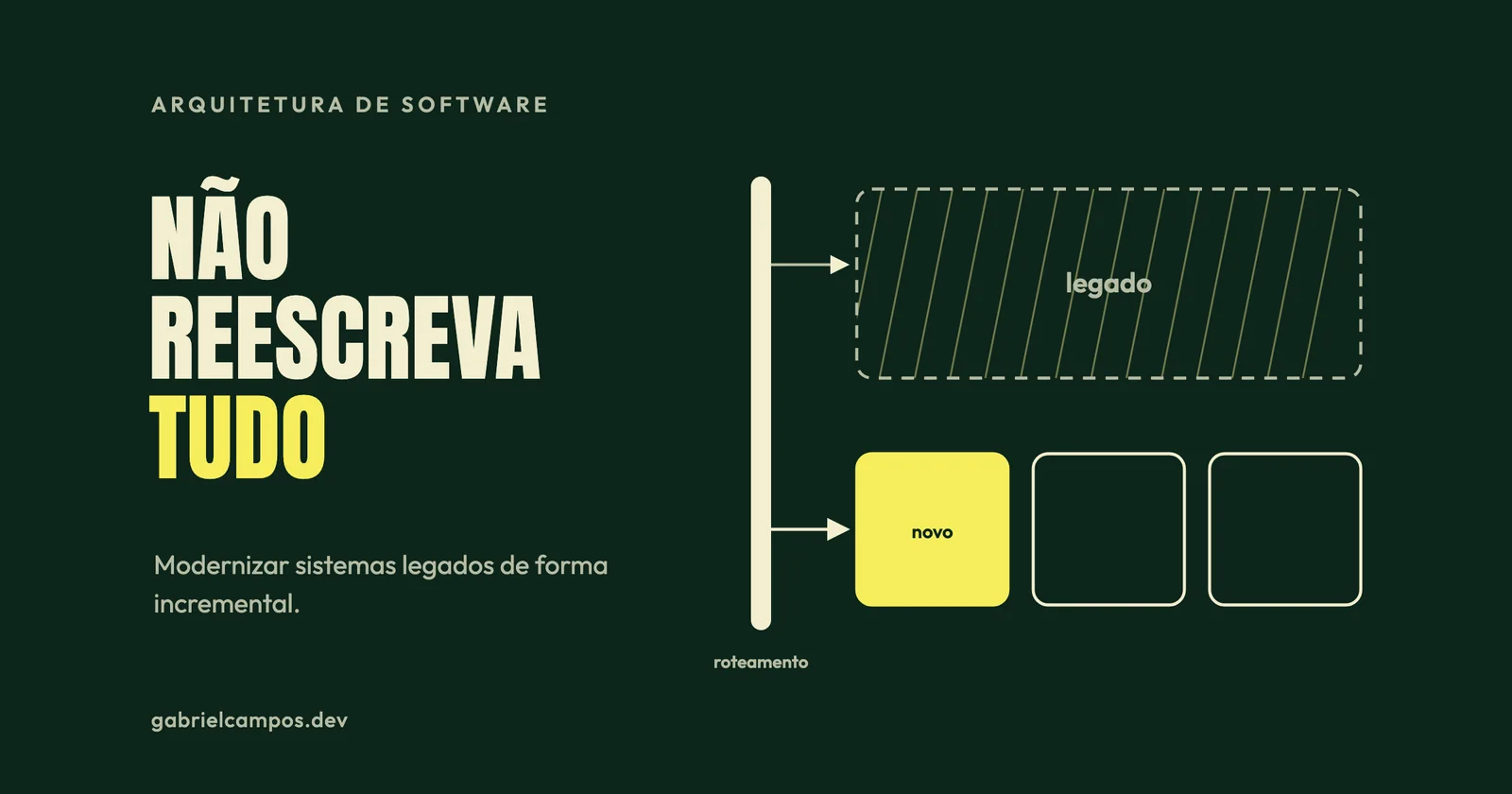
Legacy Systems: Modernizing Without Rewriting from Scratch
Why big-bang software rewrites fail and how to modernize legacy codebases incrementally via Strangler Fig, characterization tests, and anti-corruption layers.
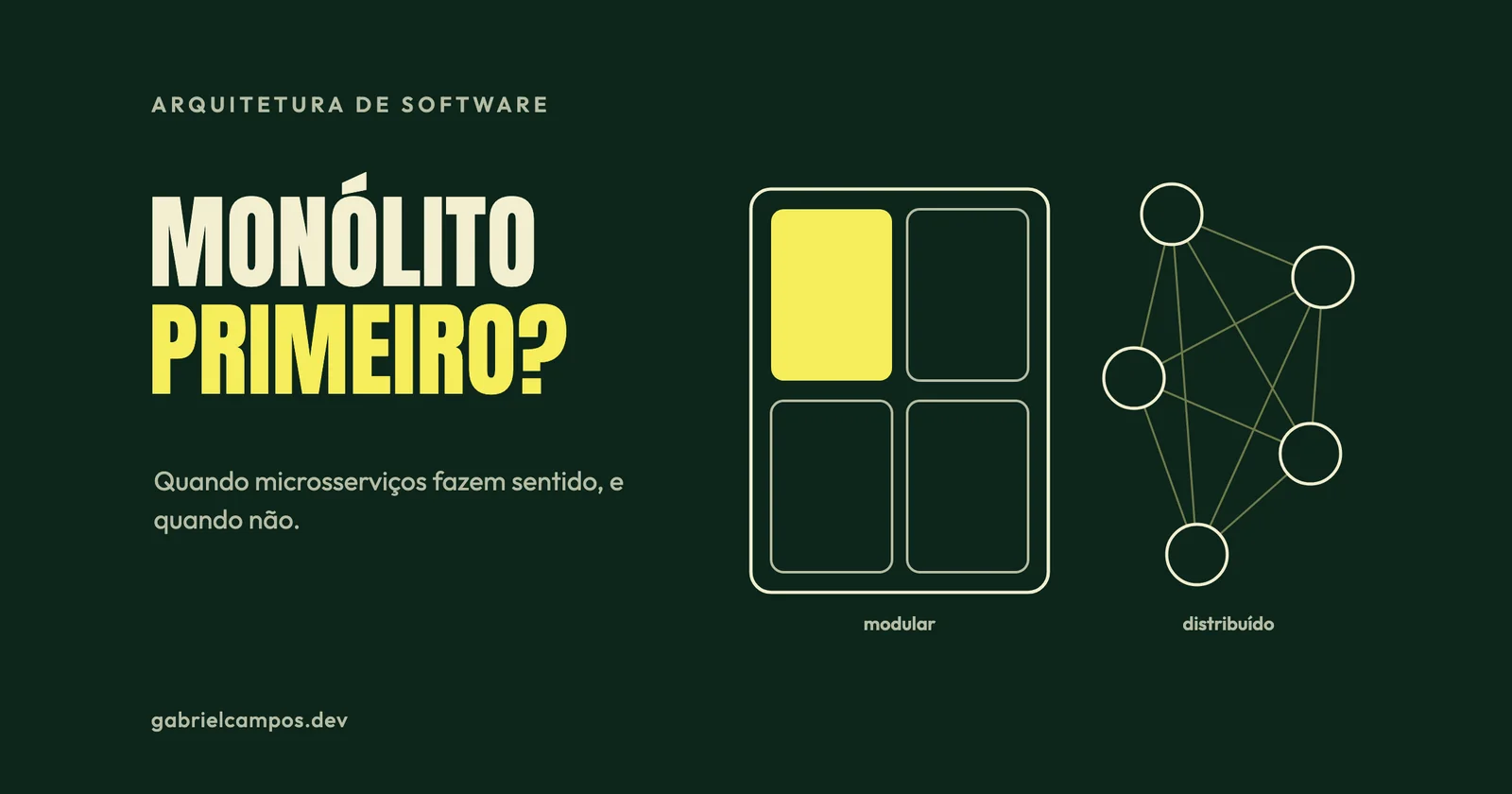
Microservices: When They Make Sense (and When They Don't)
What microservices actually are per Lewis and Fowler, prerequisites, distributed system overhead, and lessons from Segment, Prime Video, and Shopify.