Design Systems: When They Pay Off and How to Start Small
What a real design system is, when it justifies investment, how to use design tokens (W3C 2025.10 spec), and how to start without bureaucratic overhead.

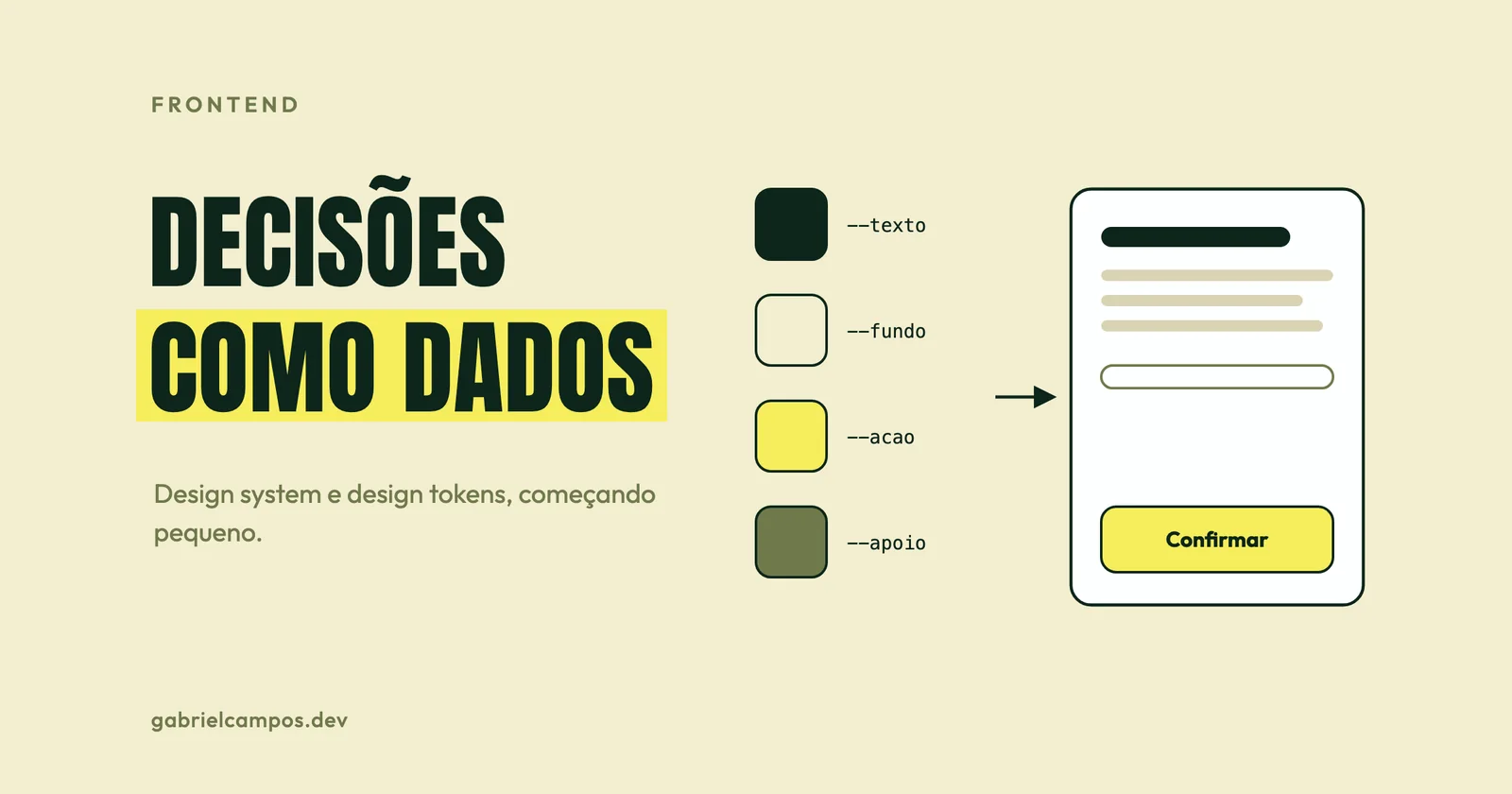
“Design system” has expanded into such an overloaded term that it can signify anything from a Figma file containing brand palette swatches to a dedicated multi-disciplinary team maintaining cross-platform components for dozens of digital products. This ambiguity tempts engineering organizations into starting from the wrong place: investing months building an exhaustive UI component library before understanding the operational problems it needs to solve.
In this article, I explain the core components of a true design system, when the investment pays off, how modern design tokens operate (following the stable W3C community specification released in 2025), and a pragmatic roadmap for starting small.
What a design system actually is
A design system is the cohesive collection of design decisions, component implementations, and governing rules that enables organizations to build consistent user interfaces repeatably. It typically brings together:
- Foundational principles: the core values prioritized by the user experience (clarity, density, accessible inclusivity).
- Design tokens: foundational visual decisions (colors, typography scales, spacing units, border radii, elevation shadows) modeled strictly as data.
- UI Components: buttons, text fields, modal dialogs, data tables, implemented in production code and design software.
- Interaction patterns: how individual components compose to solve recurring UX workflows (multi-step wizards, empty states, validation error summaries).
- Documentation: usage guidelines, accessibility mandates, code examples, and explicit anti-patterns.
- Governance: contribution models, release versioning policies, and deprecation cadences.
Teams frequently confuse the holistic design system with its isolated constituent parts:
| Term | What it actually is | What it lacks to be a true design system |
|---|---|---|
| Style Guide | Visual branding and typography rules | Interactive components and production code |
| UI Kit | Visual components drawn in a design tool (Figma, Sketch) | Code implementation, automated tests, and engineering documentation |
| Component Library | Reusable UI components implemented in code (React, Vue) | Principles, interaction patterns, and formal governance |
| Design System | The comprehensive union of all the above, managed as an internal product | (Nothing) |
A product serving other products
In 2016, Nathan Curtis published an article whose title became an industry axiom: A Design System isn’t a Project. It’s a Product, Serving Products. A design system does not conclude upon delivery. It has customers (internal product delivery teams), demands a dedicated roadmap, requires technical support and documentation, and yields zero business value unless product squads actively adopt it.
This shift in perspective answers the foundational question: is this design system solving demonstrable friction for the developers and designers expected to use it?
When it pays off (and when it doesn’t)
In my view, the unambiguous signals that a design system will generate positive ROI:
- Multiple product squads building concurrent web or mobile interfaces in parallel;
- The exact same component (e.g., date picker, modal, data table) being reimplemented repeatedly across repositories with minor behavioral differences;
- Visual fragmentation and behavioral inconsistencies noticeable to end users;
- Severe friction when executing brand updates, multi-brand themes, or dark mode across product lines;
- Repeated accessibility regressions resurfacing across different application views.
Conversely, clear indicators that an organization is not ready:
- A single early-stage product maintained by a small engineering team;
- A startup undergoing product-market fit discovery, where user interfaces change completely week to week;
- Zero dedicated staffing or organizational bandwidth to maintain the system following initial release.
In early-stage scenarios, the highest-leverage investment is merely defining a disciplined token scale and building half a dozen well-tested UI primitives. An abandoned, out-of-date design system is significantly worse than having none, because it introduces a conflicting, stale source of truth.
Design tokens: visual decisions modeled as data
Design tokens capture visual design decisions in a platform-agnostic data format. The W3C Design Tokens Community Group defines tokens as the single source of truth for color, typography, spatial dimensions, and animation across platforms.
On October 28, 2025, the community group published its first stable specification release: 2025.10. It incorporates native multi-theme and multi-brand support, modern wide-gamut color spaces (such as Display P3 and Oklch), and formal token referencing (aliases and inheritance). Open-source build tools such as Style Dictionary, Tokens Studio, and Terrazzo serve as primary ecosystem implementations. An important framing detail: this specification represents a Community Group Report rather than a formal W3C Recommendation standard.
Three architectural tiers of tokens
A proven token architecture structures values across three distinct tiers:
- Primitive tokens: raw, literal palette values (
green-900,yellow-300,space-4). - Semantic / alias tokens: contextual intent (
color-background,color-text-primary,color-action). They resolve dynamically to primitive tokens. - Component tokens (optional): component-scoped overrides (
button-primary-background). They resolve to semantic tokens.
Application components should consume semantic tokens directly. As a result, switching themes, introducing dark mode, or rebranding across multiple white-label properties requires altering token mapping files rather than refactoring individual UI components.
Token specification format example
In the 2025.10 specification format, color tokens define color spaces and numeric channel components (with an optional CSS hex fallback), dimensions explicitly pair numeric values with units, and semantic aliases reference parent paths via bracket notation:
{
  "color": {
    "green-900": {
      "$type": "color",
      "$value": { "colorSpace": "srgb", "components": [0.051, 0.145, 0.102], "hex": "#0d251a" }
    },
    "yellow-300": {
      "$type": "color",
      "$value": { "colorSpace": "srgb", "components": [0.965, 0.929, 0.357], "hex": "#f6ed5b" }
    }
  },
  "semantic": {
    "text-primary": { "$type": "color", "$value": "{color.green-900}" },
    "action": { "$type": "color", "$value": "{color.yellow-300}" }
  },
  "space": {
    "4": { "$type": "dimension", "$value": { "value": 1, "unit": "rem" } }
  }
}
Build transformation tools parse this JSON and generate CSS custom properties for web runtimes and native constant structs for iOS and Android. In CSS, the output maps cleanly:
:root {
  --color-green-900: #0d251a;
  --color-yellow-300: #f6ed5b;
  --text-primary: var(--color-green-900);
  --action: var(--color-yellow-300);
  --space-4: 1rem;
}
Lean projects do not necessarily require multi-stage build toolchains. This website, for example, defines its color and typography tokens directly inside the @theme block of Tailwind CSS v4 (the two colors shown in the example above represent its exact palette), exposing them automatically as both CSS custom properties and utility classes.
Components: Atomic Design as a mental model
In Atomic Design (2016), Brad Frost established an intuitive mental model for conceptualizing user interfaces across five hierarchical stages:
- Atoms: foundational UI primitives that cannot be broken down further without losing utility (labels, inputs, buttons).
- Molecules: simple groupings of UI atoms functioning together as a unit (a search input paired with a submit button).
- Organisms: relatively complex, distinct UI sections composed of molecules and atoms (a global navigation header containing a logo, navigation links, and search bar).
- Templates: page-level wireframe structures arranging organisms into layouts.
- Pages: concrete template instances populated with real production content.
Frost emphasizes that Atomic Design is not a rigid linear development sequence; it is a mental model allowing teams to view a digital interface simultaneously as a cohesive whole and as a collection of reusable parts.
Component API design matters as much as visual polish
An exceptional component exhibits a constrained prop surface, predictable naming conventions, and explicit state modeling. An illustrative TypeScript contract for a button component:
interface ButtonProps {
  variant?: 'primary' | 'secondary' | 'ghost';
  size?: 'sm' | 'md' | 'lg';
  loading?: boolean;
  disabled?: boolean;
  type?: 'button' | 'submit' | 'reset';
  // Required when the button contains only an icon, for screen readers.
  ariaLabel?: string;
}
Avoid unconstrained escape-hatch props like unrestricted color strings or arbitrary style object overrides. Every arbitrary prop escape hatch solves an immediate one-off layout convenience while systematically eroding the visual consistency of the overall design system.
Accessibility baked in, not optional
One of the greatest operational dividends of a design system is resolving digital accessibility once at the component foundation and inheriting it across every view: minimum WCAG AA 4.5:1 text color contrast ratios, clear visible focus rings, full keyboard navigability, semantic ARIA labels, adequate touch targets (minimum 44x44px), and respecting user OS prefers-reduced-motion settings. When the foundational button atom gets focus rings and keyboard interaction right, every new feature screen built with it is accessible out of the box.
The exact same reasoning applies to frontend web performance. An image component that strictly enforces width and height aspect ratios eliminates Cumulative Layout Shift (CLS) across every screen that embeds it. I cover these Core Web Vitals in depth in the Core Web Vitals optimization guide.
Documentation: benchmark against reference systems
World-class public design system documentation suites worth studying:
- GOV.UK Design System: exceptional components and interaction patterns backed by published user research explaining the rationale behind each decision.
- Material Design 3: comprehensive design tokens, elevation guidelines, and cross-platform UI components from Google.
- Carbon Design System: IBM’s design system, renowned for dense enterprise data table patterns and data visualization guidelines.
For every component in the system, documentation should answer: what problem it solves, when to use it, explicit anti-patterns (when not to use it), interactive visual states, code integration examples, and mandatory accessibility behaviors.
How to start small
A pragmatic, incremental roadmap for a lean engineering team:
- Conduct an interface inventory. Screenshot every distinct button variant, text input style, raw hex color code, and font size currently running in production. Brad Frost terms this an interface audit, and the visual redundancy uncovered is invariably eye-opening.
- Standardize design tokens first. Establish primitive color palettes, semantic intent tokens, an 8pt/4pt spatial scale, and a typographic type scale.
- Build the most frequent primitives. Buttons, text inputs, dropdown selects, checkboxes, modal dialogs, and alert banners account for 80% of standard application screens.
- Document alongside code. Maintain a single living documentation page per component within a tool like Storybook, detailing props and accessibility guidelines.
- Migrate screens incrementally. Modernize high-traffic views or new feature releases first, rather than embarking on a massive, risky frontend overhaul.
- Enforce semantic versioning. Use SemVer and transparent changelogs so product squads can upgrade components without fear of breaking layouts.
Common pitfalls to avoid
- Building an exhaustive component library in isolation before any production application utilizes it;
- Copying a complex Big Tech design system without possessing their multi-product organizational scale;
- Hardcoding literal values into component styles (
text-blue-500) instead of semantic tokens (text-interactive); - Treating the design system as a completed project with zero dedicated maintainers after initial launch;
- Building components with so many polymorphic override props that they fail to enforce visual consistency.
References
This article is a study based on the sources below. Passages marked as opinion reflect my own reading.
- Design Tokens Community Group (W3C). Design Tokens specification reaches first stable version (October 2025).
- Design Tokens Community Group. Design Tokens Technical Reports 2025.10 and Format Module 2025.10.
- Brad Frost. Atomic Design, Chapter 2 (2016).
- Nathan Curtis. A Design System isn’t a Project. It’s a Product, Serving Products (February 2016).
- W3C. Web Content Accessibility Guidelines (WCAG) 2.2.
Need technical support for your software architecture or systems?
I build resilient custom web systems, high-throughput API integrations, and performance diagnostics. Direct collaboration with the engineer, zero intermediaries.
Related Articles
VPS or cloud? When simple infrastructure is enough
Engineering criteria for choosing between a well-run VPS and a cloud architecture: storage, object storage, high availability, RPO/RTO and the real cost.
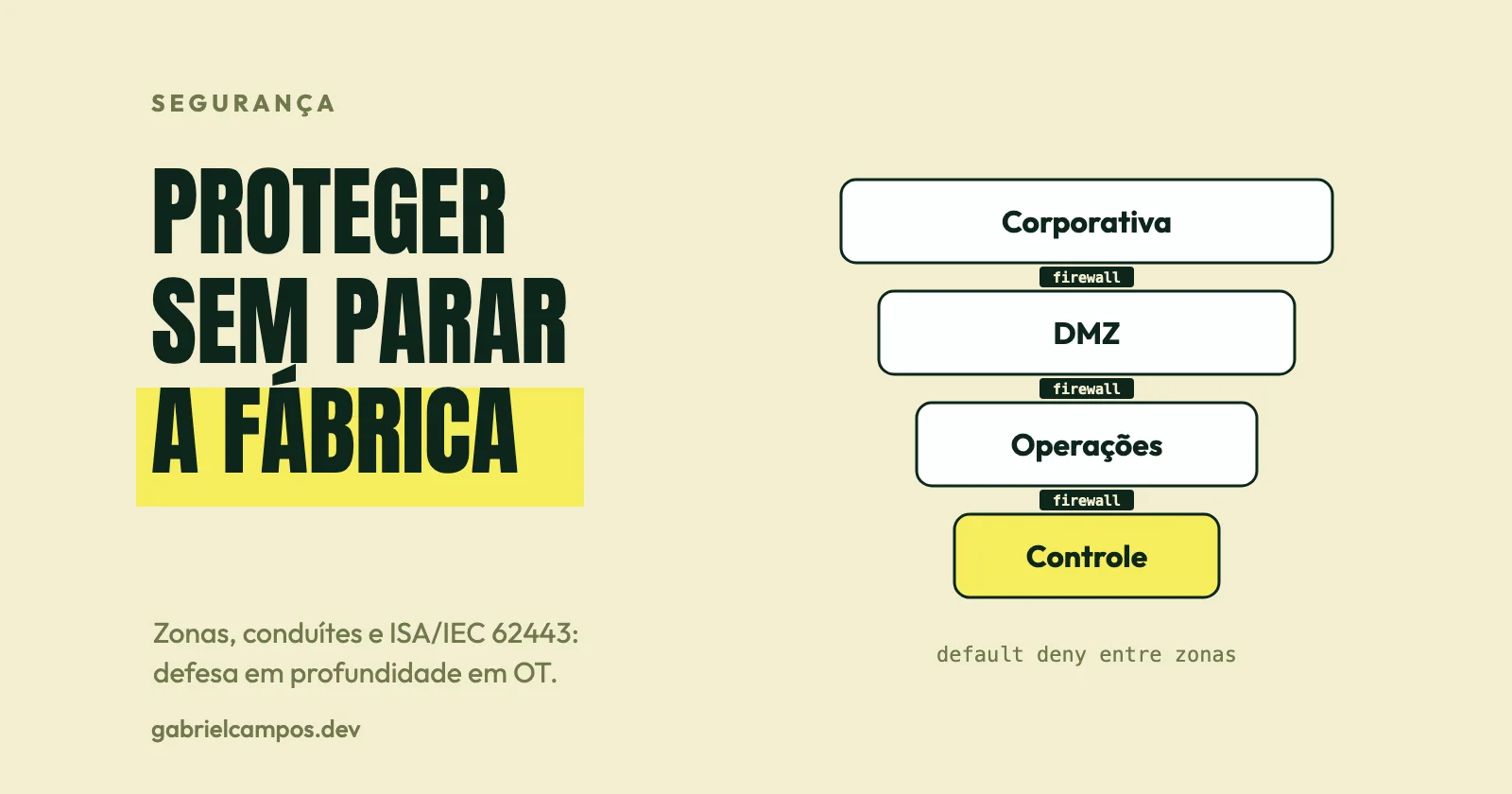
Industrial Cybersecurity: Protecting PLCs, SCADA, and MES
OT cybersecurity: core differences from IT, zones and conduits, ISA/IEC 62443, network segmentation, remote access, legacy systems, patching, and incident response.